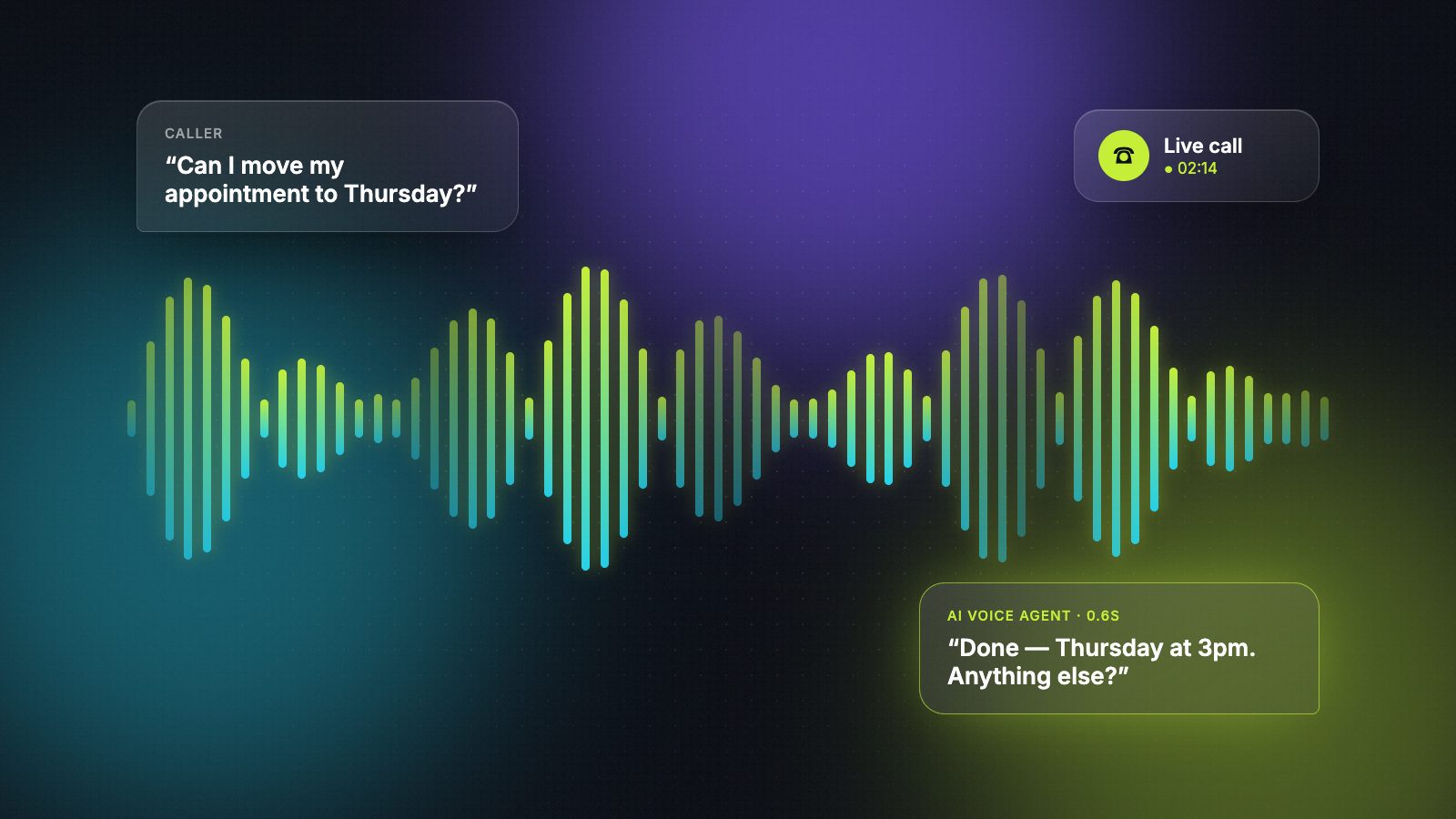
Phone calls never went away. Customers still ring to book, reschedule, ask about prices and complain — and most small teams still miss a good share of those calls. That's why AI voice agents have become one of the most requested automation projects of the last year.
It's also one of the easiest projects to get wrong. A chatbot that answers slowly is mildly annoying. A phone agent that pauses for two seconds, talks over your customer and can't transfer the call to a person loses you the customer.
Before writing this, I went through the current pricing of the main voice platforms, the US rules on AI calls and a stack of engineering write-ups on latency. Here's what I'd want to know before hiring someone to build a voice agent — what they actually build, what it really costs, and how to test a developer in a single phone call.
What an AI voice agent developer actually builds
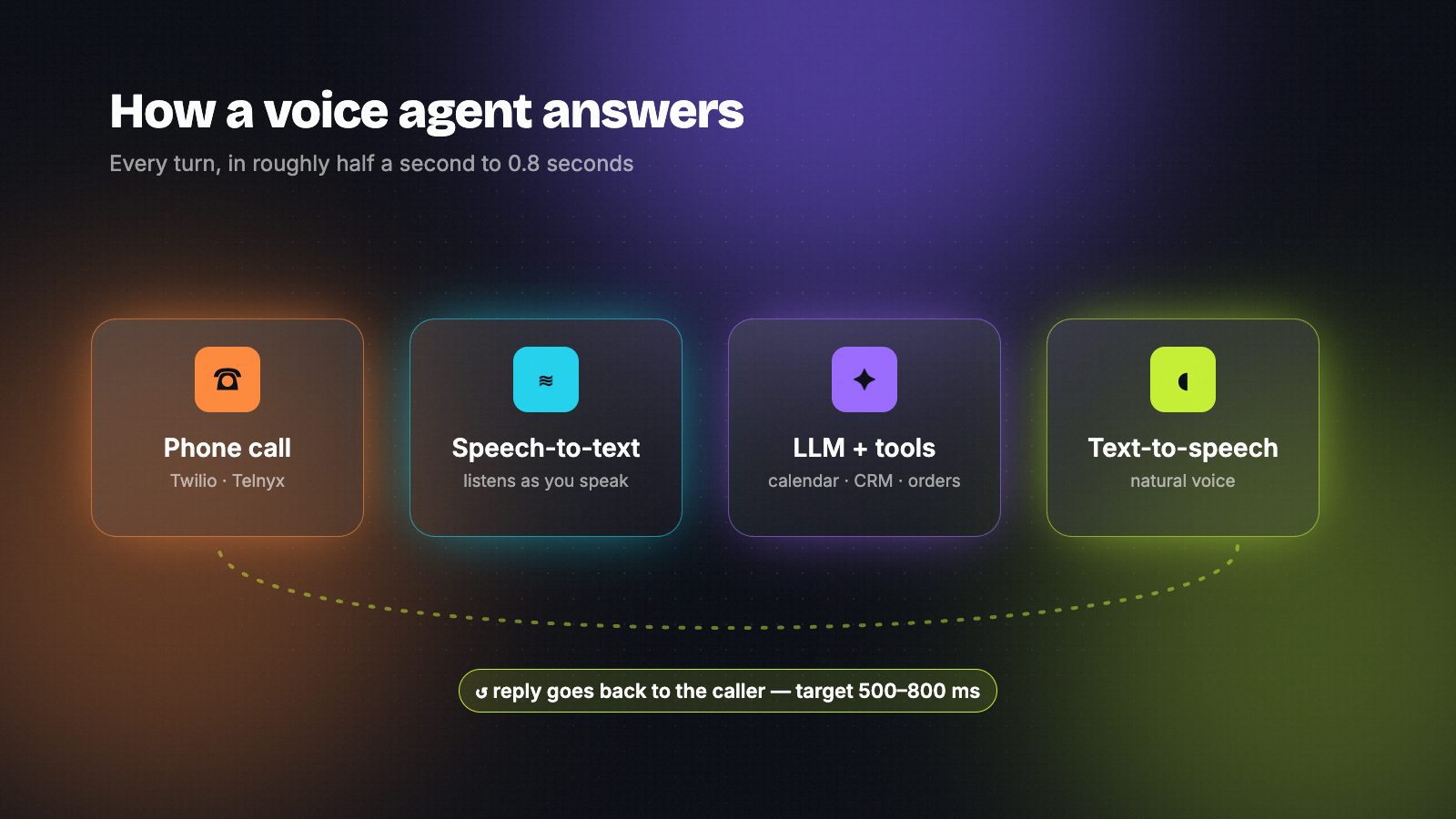
A voice agent is a chain of pieces that has to run in well under a second, every time someone speaks:
- Telephony — the phone number and the call itself (Twilio, Telnyx, or the platform's own numbers).
- Speech-to-text (STT) — turns the caller's voice into text as they speak.
- The LLM — decides what to say and when to call a tool (OpenAI, Claude and others).
- Text-to-speech (TTS) — turns the reply into a natural voice (ElevenLabs and similar).
- Tools and integrations — checking your calendar, looking up an order, writing to your CRM, transferring to a human.
Platforms like Vapi and Retell handle the plumbing that connects these pieces. The developer's job is everything that makes it feel human and actually useful: the conversation design, the integrations with your systems, what happens when things go wrong, and the testing.
Do you need a developer at all?
Not always. If you need a simple receptionist that answers FAQs and takes messages, a ready-made AI receptionist product may be enough — no developer needed.
You need a developer when the agent has to work with your own systems: book into your real calendar, check stock or order status, qualify leads into your CRM, follow your exact transfer rules, or handle more than one language. Most custom-build cost comes from those integrations, not from the voice itself.
What it really costs
There are two separate bills: building it, and running it.
1. Running cost (per minute)
Voice platforms charge per minute of calls, and the headline price is never the full price.
| Platform | Advertised starting price | What's billed on top |
|---|---|---|
| Vapi | $0.05/min platform fee | STT, LLM, TTS and telephony at provider cost |
| Retell | from about $0.07/min | LLM choice, premium voices, telephony, extras |
Once you add the speech, model and phone costs, independent breakdowns put the real all-in cost for most setups at roughly $0.10–$0.30 per minute, depending on the model, the voice and whether calls are inbound or outbound. Prices change often, so check the official pages before you budget: Vapi pricing and Retell pricing.
A quick way to estimate it: 2,000 minutes of calls a month × $0.10–$0.30 ≈ $200–$600 a month in running costs.
2. Build cost (one-time)
This depends almost entirely on scope:
- Configured receptionist on an existing platform, with a script, FAQs and call transfer — a small, fixed-price project.
- Integrated agent that books, looks things up and writes to your CRM — priced by the number and difficulty of integrations.
- High-volume or regulated (healthcare, finance, outbound sales) — add time for compliance, monitoring and load testing.
Freelance marketplaces show a huge spread, from cheap fixed-price "Vapi gigs" to specialists who've shipped production phone agents and charge accordingly. The cheap end usually means a demo that works in a quiet room. Ask for two or three quotes against the same written scope.
The skills that separate good voice developers
When I compare voice agent work, these are the things that matter far more than which platform someone prefers:
- Latency. Engineering write-ups consistently put the target for a natural reply at roughly 500–800 milliseconds end to end; past about a second and a half, conversations start to feel broken. A good developer knows where that time goes and how to cut it.
- Interruptions ("barge-in"). Real callers interrupt. The agent should stop talking and listen, not plough on.
- Knowing when the caller has finished. Waiting too long feels slow; jumping in too early cuts people off.
- Clean handoff to a human — with context, not "please repeat everything".
- Tool calling that fails safely. If the calendar API is down, the agent should say so and take a message, not invent a time slot.
- Voicemail and silence handling for outbound calls.
- Testing and monitoring — call logs, transcripts and a way to review bad calls every week.
How to test a developer in one phone call
Ask for a phone number to a voice agent they built — not a video. Then call it and try this:
- Interrupt it halfway through a sentence.
- Change your mind: book Tuesday, then switch to Thursday.
- Ask something off-script that it shouldn't answer.
- Go quiet for five seconds.
- Ask for a human.
- Call from a noisy place — a street or a car.
A solid agent handles all six calmly. Afterwards, ask the developer how they'd find and fix that call if it had gone badly. People who've run voice agents in production answer that question easily.
Compliance you can't skip
This isn't legal advice, but every serious developer should raise these points with you before you launch:
- AI calls count as "artificial voice" calls in the US. In February 2024 the FCC issued a declaratory ruling confirming that AI-generated voices fall under the TCPA's rules — so outbound AI calls generally need the called person's prior express consent.
- Call recording consent. Several US states, including California, require every party to agree to a recording. The safe default is a short disclosure at the start of each call that it's an AI assistant and may be recorded.
- Sensitive data. If the agent touches health or payment information, ask how data is stored and whether your platform plan supports the compliance you need.
If a developer can't talk about consent, recording and data handling, they haven't shipped voice agents to real customers.
Red flags
- Only a polished demo video, no number you can call.
- No plan for transferring to a person.
- "It works perfectly" — with no talk of monitoring or reviewing calls.
- A quote with no breakdown of running costs per minute.
- Promises of an "unlimited" agent with no limits on what it may do.
Frequently asked questions
How much does it cost to build an AI voice agent?
There's a one-time build cost and a monthly running cost. The build depends on scope: a configured receptionist is a small project, while an agent connected to your calendar, CRM and order system costs more because of the integrations. Running costs are usually around $0.10–$0.30 per minute of calls once speech, model and phone charges are included.
How long does it take to build a voice agent?
A simple receptionist on an existing platform can be working within days. An agent that integrates with several of your systems typically takes a few weeks, including testing with real calls. Leave time to listen to early calls and adjust before you send all your traffic to it.
Should my developer use Vapi or Retell?
Both are popular and capable. Vapi is known for flexibility and fine control; Retell for a more guided setup. The developer's experience matters more than the platform — hire someone who has shipped production agents on the one they recommend, and ask them why they chose it for your use case.
Is it legal to use AI for phone calls?
Inbound calls that customers make to you are the simpler case. For outbound calls in the US, the FCC's 2024 ruling means AI voices are treated like prerecorded voices, so you generally need prior consent. Recording rules vary by state, and some require every party's consent. Get proper legal advice for your situation before launching outbound campaigns.
Hire AI automation builders who actually reply.
Verified builders with real workflows on every profile — free during launch.